Prompt detail

Pink Glow Makeup

Uploaded by celebish New on Apr 3, 2026
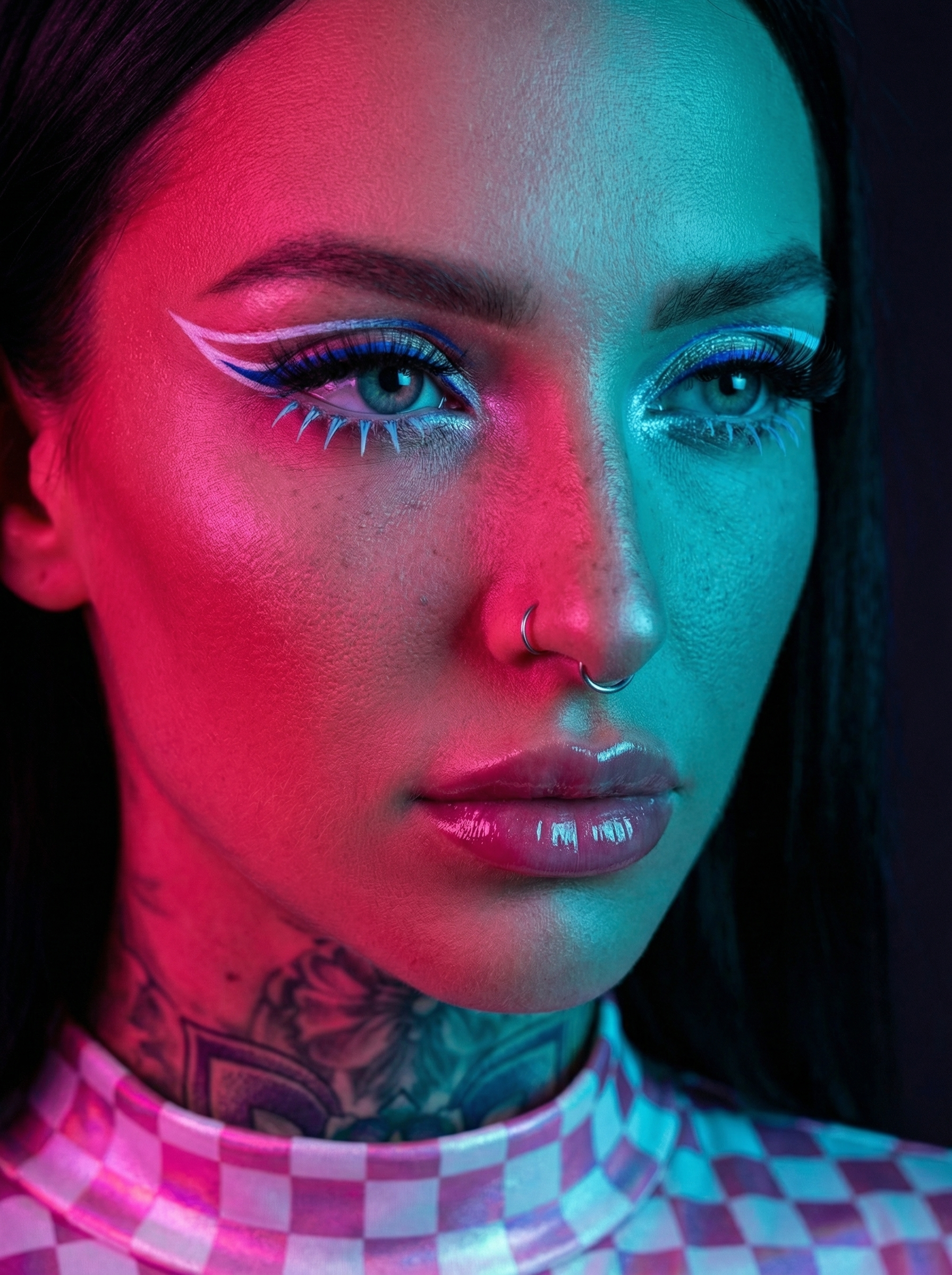
Pink Glow Makeup, using Other AI image prompt
Prompt setup
Other Editorial Score 0
0
0 up · 0 down · 0 favorites

Prompt

A close-up studio portrait of a woman with distinct features, looking slightly to the side. Extreme dual-tone neon lighting. Strong saturated magenta and red light is cast from one side (left), and a vibrant teal/cyan blue light is cast from the opposite side (right), creating a high-contrast shadow line down the center of her face.

​Makeup: Artistic and graphic, emphasizing the eyes with a neon-light theme.
​Sharp, graphic white winged eyeliner with a thin electric blue inner line on the upper lid.
​Dramatically thick and long upper black false eyelashes.
​Highly unusual, prominent, spiked bright light blue false eyelashes on the lower lash line.
​Shimmering white/light blue eyeshadow in the inner corners of the eyes.
​Natural, full eyebrows.
​Full, glossed lips with pink tones, reflecting the intense magenta light.

​The top part of a garment is visible, featuring a metallic or high-gloss iridescent pink and white checkered/grid pattern, illuminated by the pink light.
​Expression & Gaze: Direct but intense gaze towards the right, with a serious or focused expression.

​Background: Dark and blurred, providing a simple, unobtrusive backdrop that enhances the visibility of the dramatic neon effects. Highly realistic skin texture (individual pores, fine hairs) contrasted with the smooth, reflective surfaces of the eye makeup and the glossy garment material. High-fashion editorial photography with a futuristic, cyberpunk-inspired aesthetic. 8k resolution, sharp focus on the eye.
Share

Help This Prompt Grow

Please help by sharing this prompt. Every post helps more people discover the site.

Variations

Variations of This Prompt

Build on this prompt

Start from the original prompt and push the look, lighting, styling, or composition in a new direction.

Create Variation
More Like This

Similar Prompts
Next Step

Create your own version of this

Start from the same core prompt and push it in a new direction.

Create Variation